The Parcel Is Only Half the Story: A Short-Link Map for UK After-Sales
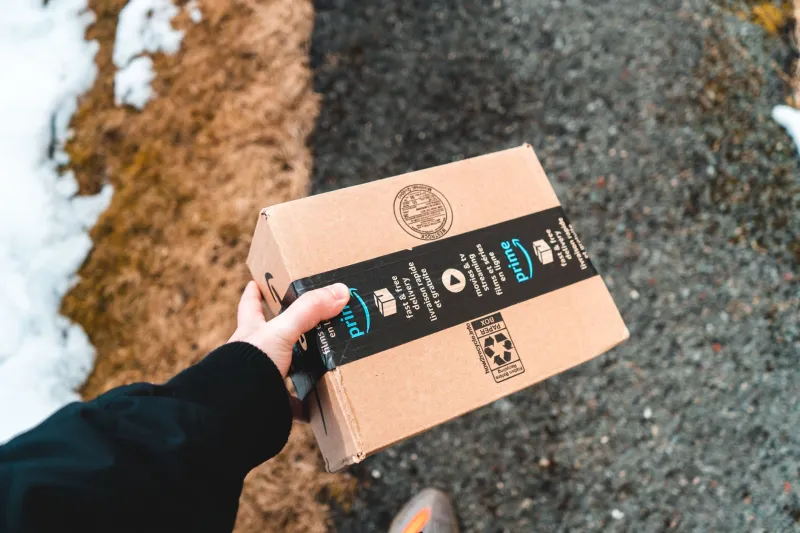
Most link plans stop at checkout. The hero slug goes live, the campaign email gets its tracking parameters, and everyone moves on to the next launch. But for a UK retailer, the post-purchase stretch is where a short link has to do its least glamorous and most important work. A customer has paid. Something has arrived. Now they need to return it, register a warranty or work out why the app won’t pair with the smart plug.
That is not a campaign in the glossy sense. It is a chain of small, high-stakes moments. And if the link on the receipt sends someone to a generic homepage, or to a returns portal that closed last season, you have turned a minor inconvenience into a reason to ring the call centre.
Start with the touchpoints, not the slugs
Before you create a single short link, list every place a customer might meet your brand after buying. For a typical UK retailer that might include:
- paper receipts and dispatch notes
- order confirmation and dispatch emails
- packaging inserts, polybags and thank-you cards
- QR codes on the outside of a parcel
- customer service auto-replies
- product pages for spare parts and manuals
- warranty registration emails
- click-and-collect collection notices
Each one is a channel with its own context. Someone reading a receipt at the kitchen table is not in the same mindset as someone scanning a QR code while standing in a hallway with a box cutter. The destination can be the same, but the short link should tell you which moment produced the click.
Name links by job, not by campaign code
Post-purchase links are not launch campaigns. They should not inherit the naming conventions of a January sale. A shopper does not need to know that the link belongs to the spring homeware push; they need to know that clicking it will start a return.
Use short, human-readable paths. If the link is about returns, the path should say returns. If it is about warranty registration, say warranty. If it is a how-to page for a specific product family, say so. The short domain can be your own brand domain, but the path should do the explaining.
A simple pattern works well for UK teams:
- /returns for the main returns portal
- /warranty for registration and proof-of-purchase uploads
- /help/[product-family] for setup and troubleshooting
- /repair for spare parts and authorised repairers
Then add the channel signal separately. You might use one slug per touchpoint, such as a receipt version and a packaging version, or you might pass a channel parameter through to the landing page. Either way, the customer sees one clear promise and your analytics sees where the click came from.
Avoid internal campaign codes in the visible slug. They age badly, they look like tracking rather than help, and they create false confidence that the link is self-documenting. It isn’t. Write the map down.
Expiry rules: make the link outlive the problem
The most common post-purchase mistake is treating every short link like a campaign link. Campaign links can expire when the offer ends. After-sales links cannot. A returns link should not stop working on day 29 if your policy allows 30 days. A warranty link should be effectively permanent. A packaging insert may be kept in a drawer and scanned two years later.
This matters more in 2026 than it did when most receipts were paper-only. A QR code printed on a packaging insert this year may still be scanned in 2028. If the slug was built around a seasonal campaign or a year in the path, it will be a dead end by then.
Set lifetimes by job:
- Returns: at least as long as the longest returns window you offer, plus a buffer.
- Warranty: permanent, or as close to it as your infrastructure allows.
- Product help: permanent, with redirects updated when pages move.
- Campaign-led post-purchase offers: fixed expiry, clearly separated from the service links.
If a link must change, redirect the old slug to the new destination. Do not simply retire it. Someone is still holding the receipt.
Track the channel, not the person
Post-purchase tracking is useful when it answers a simple question: which touchpoint is doing the work? If the packaging insert drives most warranty registrations, that tells you something. If the receipt link drives returns but the order email drives almost nothing, that tells you something too.
Keep the measurement modest. You do not need to identify individual shoppers. You need to know whether the receipt, email and packaging links are pulling their weight, and whether one channel is sending people to the wrong page. A channel-level parameter or a dedicated slug per touchpoint is usually enough.
Be careful not to overcomplicate the customer’s side of the deal. Two links that look identical but go to different portals will confuse people. One link that goes to the right portal and quietly records the channel is better.
The trust test: would you click this if the kettle was broken?
Post-purchase links carry a different emotional load. The customer is not browsing. They may be annoyed, confused or already out of pocket. A link that looks generic, mismatched or slightly suspicious will not get the benefit of the doubt.
Run a simple trust check:
- Does the short domain match your brand, or at least look deliberate?
- Does the path say what happens next?
- Does the link land on the right page, not a homepage or a 404?
- Is the page mobile-friendly, because most receipts will be scanned on a phone?
- Does the link still work after the returns window closes, even if it explains that the window has passed?
- Is there a plain-English fallback, such as a phone number or email address, for people who do not want to click?
A dead link on a receipt is worse than no link. If someone has already had to repack a faulty item, a generic redirect feels like another obstacle. The link should behave like a helpful member of staff, not a maze.
A small audit before the next dispatch
You do not need a huge project to fix this. Pick one product line and trace every post-purchase touchpoint from order confirmation to warranty email. Click every link on a phone. Check where it goes, what it says and whether it still works after the obvious windows have passed.
Then write the map down: touchpoint, slug, destination, owner, expiry rule. Keep it with your link inventory. When packaging changes or the returns portal moves, you will know exactly which short links need attention.
The parcel is only half the story. The other half is what happens when the customer needs you again. A clear after-sales link map is not glamorous, but it is one of the cheapest ways to keep a buyer from becoming a complaint.