Fingers Crossed, Link Checked: Winter Support Links That Work in the Cold
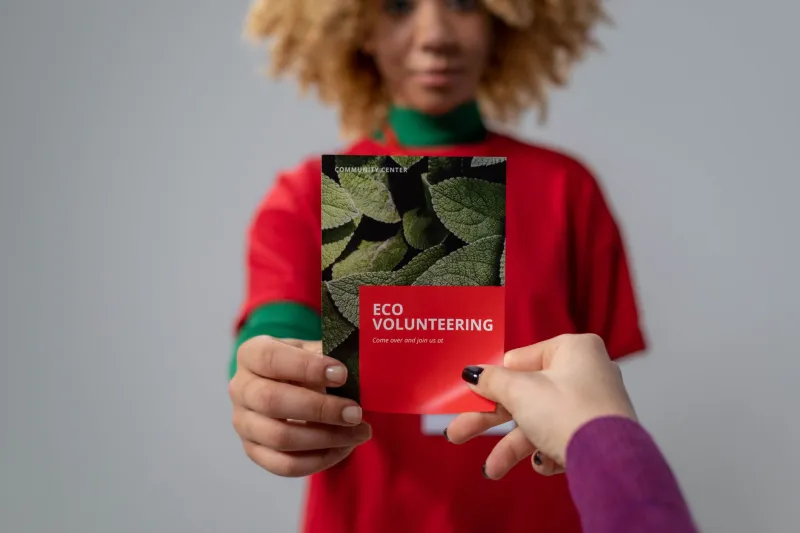
Winter support campaigns have a peculiar problem. The people who need them most are often the least likely to have the patience, bandwidth or battery life for a scavenger hunt across a council website. A warm hub flyer on a library noticeboard is not a brand awareness exercise. It is a signpost. And a signpost has to work when fingers are numb, light is low and the bus is already late.
By late 2026, many UK councils, charities and community groups will be pushing out winter support information again: warm hubs, food banks, fuel advice, emergency grants and friendly phone lines. The content changes by the week. The links should not. That is the quiet case for treating short links as part of the service, not as a campaign afterthought.
Start with the destination, not the poster
A short link is only as useful as the page it opens. Before anyone designs a flyer, check where the link actually lands. It should be a mobile-first page with opening hours, eligibility, cost, accessibility and a phone number near the top. Not a homepage. Not a PDF. Not a page that asks for a full postcode before it says whether there is a warm hub in the next town.
Plain English matters more than polish. If the page says 'holistic winter wellbeing offer' and the flyer says 'warm hub', people will assume they have the wrong place. Use the words printed on the poster. Use the same words in the page title. Keep the path predictable: one link for warm hubs, one for food support, one for fuel advice. If a page must cover several services, make the first screen a simple choice, not a wall of paragraphs.
Make the short link readable and repeatable
Vulnerable audiences often share links by word of mouth. Someone reads it off a leaflet to a neighbour, or a receptionist writes it on a sticky note. That rules out random strings of letters and numbers. A short URL should be short enough to say, spell and remember. Something like cuturl.co.uk/warm-hub is doing more work than a clever code.
Keep one domain for public-facing winter support links. Every extra domain is another chance for someone to mistype, another thing to explain, and another opportunity for an impostor to borrow your trust. If you use a link shortener, label the link in the printed material as a short link, not as a mystery. 'Type this in' is clearer than 'scan here' for people who do not trust QR codes.
QR codes for gloves, drizzle and dim hallways
QR codes are useful, but they are not magic. A code that is too small, too pale or too close to the fold will fail in a cold bus shelter. Print it large. Give it a quiet zone. Put it on a light background with dark modules. Test it in low light, at an angle, and with a phone that has a cracked screen. If the flyer will sit behind glass, test the reflection too.
Do not make the QR code the only route. Pair it with the short URL and a phone number. A person with cold hands, poor eyesight or a low battery should not have to choose between scanning and giving up. And check the destination on a cheap, older handset. The latest phone on your desk is not the phone in the queue at the food bank.
Build an update loop, not a print run
Opening times change. Eligibility changes. A warm hub moves from the church hall to the library because the boiler has given up. If the short link points straight at a PDF, every change means a new print run or a sticker over the old details. Use a redirect you control so the destination can move without the printed link changing.
Keep a simple change log: who updates the destination, how often, and what triggers a check. A weekly review is realistic for winter support. A named backup is not optional. The office manager who set up the link may be on leave, and the volunteer who knows the password may have moved on. Write it down somewhere the next person can find.
Track enough, not everything
It is tempting to add every campaign parameter to a support link. Resist it. For winter support, you mainly need to know whether the link is being used, which channels are working, and whether people drop off before reaching the information. You do not need to build a profile of someone asking for help with their heating.
Use aggregate counts where you can. Avoid putting names, postcodes or case details in a URL. Keep consent language clear if you are collecting anything at the destination. A short link is a doorway, not a data vacuum. The calmer the tracking, the more likely people are to trust the signpost.
A ten-minute winter link audit
Before the next print run, run through this list:
- Does the short link open the right page on a mobile, first time?
- Is the URL short enough to read aloud without spelling it twice?
- Does the QR code work in low light and on an older phone?
- Are opening times, eligibility and cost visible without scrolling far?
- Is there a phone number for people who cannot use the web?
- Does the link still work if the destination page moves?
- Is there a named person and a weekly check for updates?
- Are you collecting only the data you actually need?
- Does the printed wording match the page wording?
- Have you tested the whole thing with someone outside the comms team?
The small print that matters
Winter support links are not glamorous. They will not win a design award. But they are often the difference between someone finding a warm room and someone going home. Treat the link as part of the service: stable, readable, tested and easy to update. That is not over-engineering. It is just good signposting.